








Datasets · Infrastructure
Municipality Borders, linked to every property.
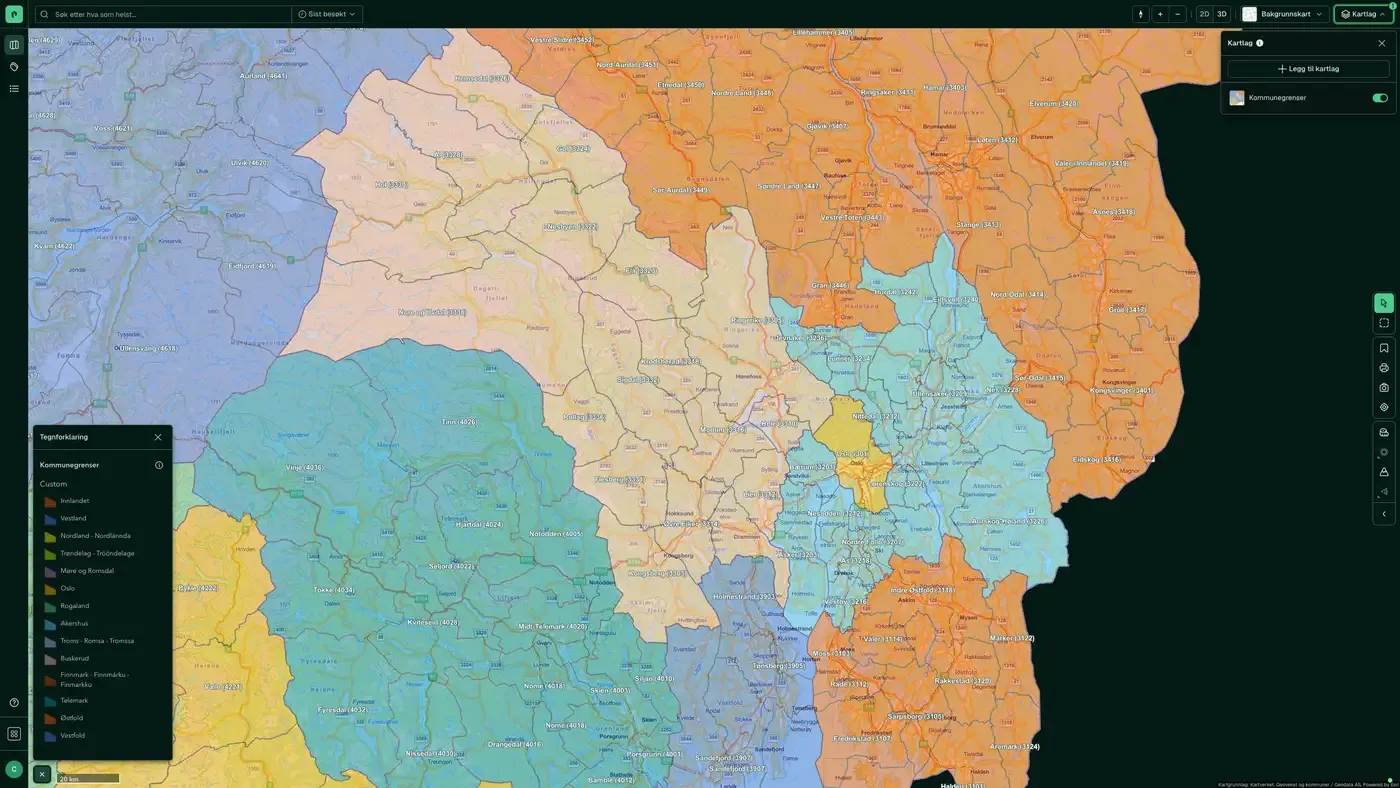
Norway's 357 municipalities with municipality numbers (a four-digit code) and official outer boundaries. Most analyses in Placepoint use this dataset as their administrative base: demographics, business statistics, zoning plans, municipal plans and municipal information are all combined on this layer.
What the dataset contains
Municipality Borders in Placepoint
Norway's 357 municipalities with municipality numbers (a four-digit code) and official outer boundaries. Most analyses in Placepoint use this dataset as their administrative base: demographics, business statistics, zoning plans, municipal plans and municipal information are all combined on this layer. The dataset changes only when municipalities merge or when administrative boundaries are adjusted. The last major round was in 2020.
Kartverket supplies the boundaries as the land registration authority and manager of national map and geodata services. Related administrative datasets: Counties' borders, School catchment areas, Voting districts, Primary Schools and the municipality's own plan registers through SePlan.
When an administrative unit changes.
This text is based on the dataset documentation, synced 16 October 2026.
What it looks like
Municipality Borders on the map
The dataset is part of the Infrastructure map layer:
More in the Infrastructure map layer
Datasets often read together
Fuel stations
All fuel stations in Norway with chain affiliation (Circle K, Shell, Esso, YX, Best, Uno-X and others), number of employees and accounts data.
About the datasetBroadband coverage
Broadband coverage per building, grouped into speed classes.
About the datasetBridges
All bridges and bridge-like structures in Norway, taken from the Norwegian Public Roads Administration's National Road Database (NVDB): planned, newly built, demolished, in use, not in use and closed or blocked.
About the datasetFibre coverage
Share of households offered 1 Gbit/s fibre, from Nkom's annual coverage survey.
About the datasetManhole cover, drain and hydrant
Visible points on the municipal water and sewage network: manholes, gullies and fire hydrants, taken from LedningVA in Felles kartdatabase (FKB).
About the datasetPost offices and postal locations
Locations of post offices and post-in-shop outlets in Norway.
About the datasetHow often are Municipality Borders updated?
When the source changes. The frequency follows the source and is shown on the dataset in Placepoint.
Where does the data come from?
From Kartverket. We collect the data, check its quality and place it on the right property, with the source and date on every field.
How do I see Municipality Borders for a property?
Look up the address in Fusion and turn on the Infrastructure map layer. The dataset is there as its own layer, and the details appear in the property panel when you click on the map.
Can I get the dataset programmatically?
Yes. The same data is available in Placepoint API and in Placepoint AI through MCP, so you can bring it into your own systems and agents.
Used where decisions really matter