









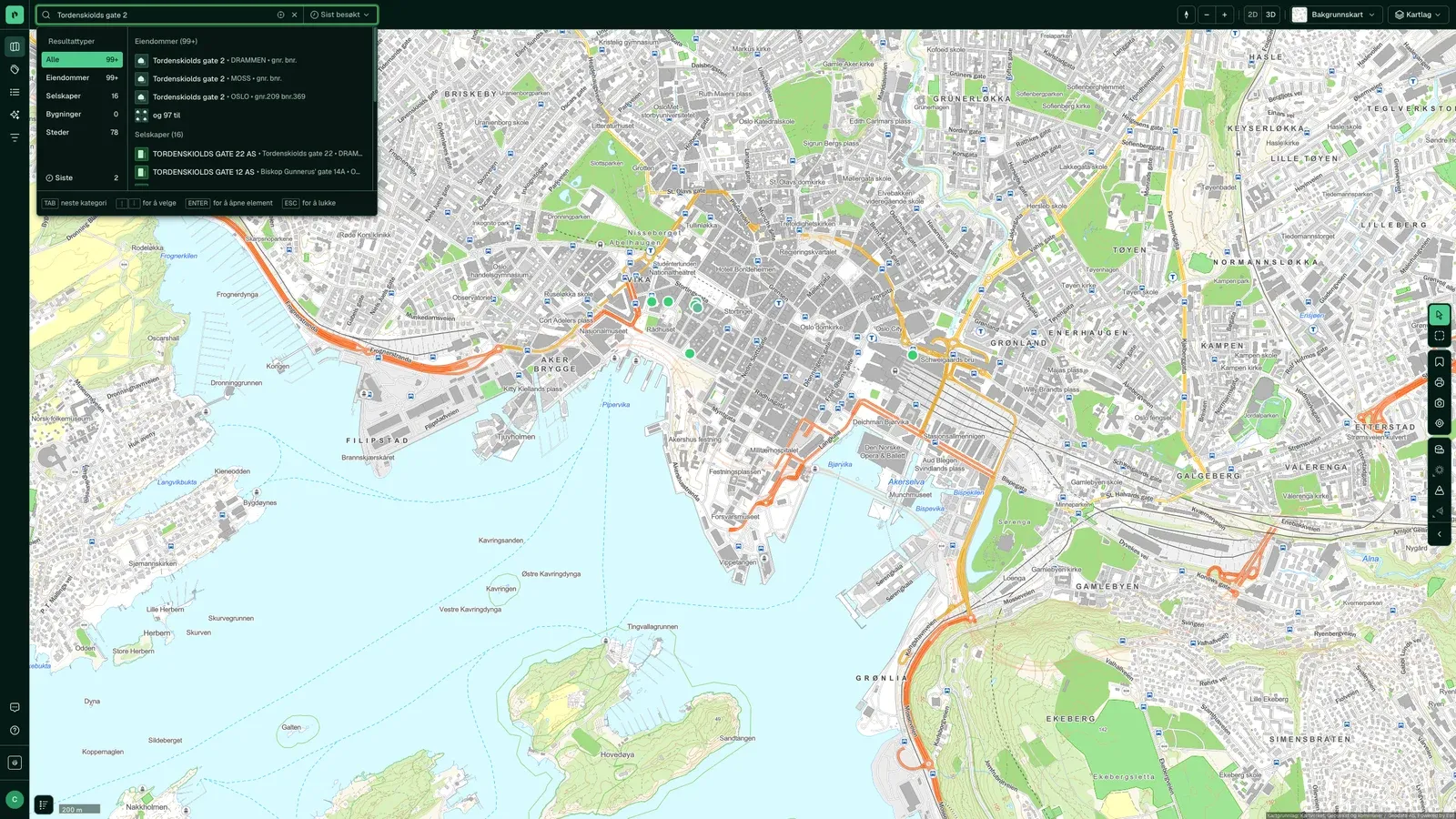
One search
Address, cadastre number, company name, organization number, place name or tag, all in one field. A match opens the property with everything registered on it.
“I use Placepoint almost daily and I'm very happy with it.”
Placepoint Fusion
Search, a map with around 280 map layers, a property panel showing the source of each field, market analyses, 3D tools and monitoring. Fusion brings together what used to be in Placepoint, PropCloud and Placepoint Maps. Launched 1 October 2026.
No results. Try another address.
We are putting the report together
Free property check by email: zoning, risk, owners and previous sales.
Used where decisions really matter







What you can do
Address, cadastre number, company name, organization number, place name or tag, all in one field. A match opens the property with everything registered on it.
“I use Placepoint almost daily and I'm very happy with it.”
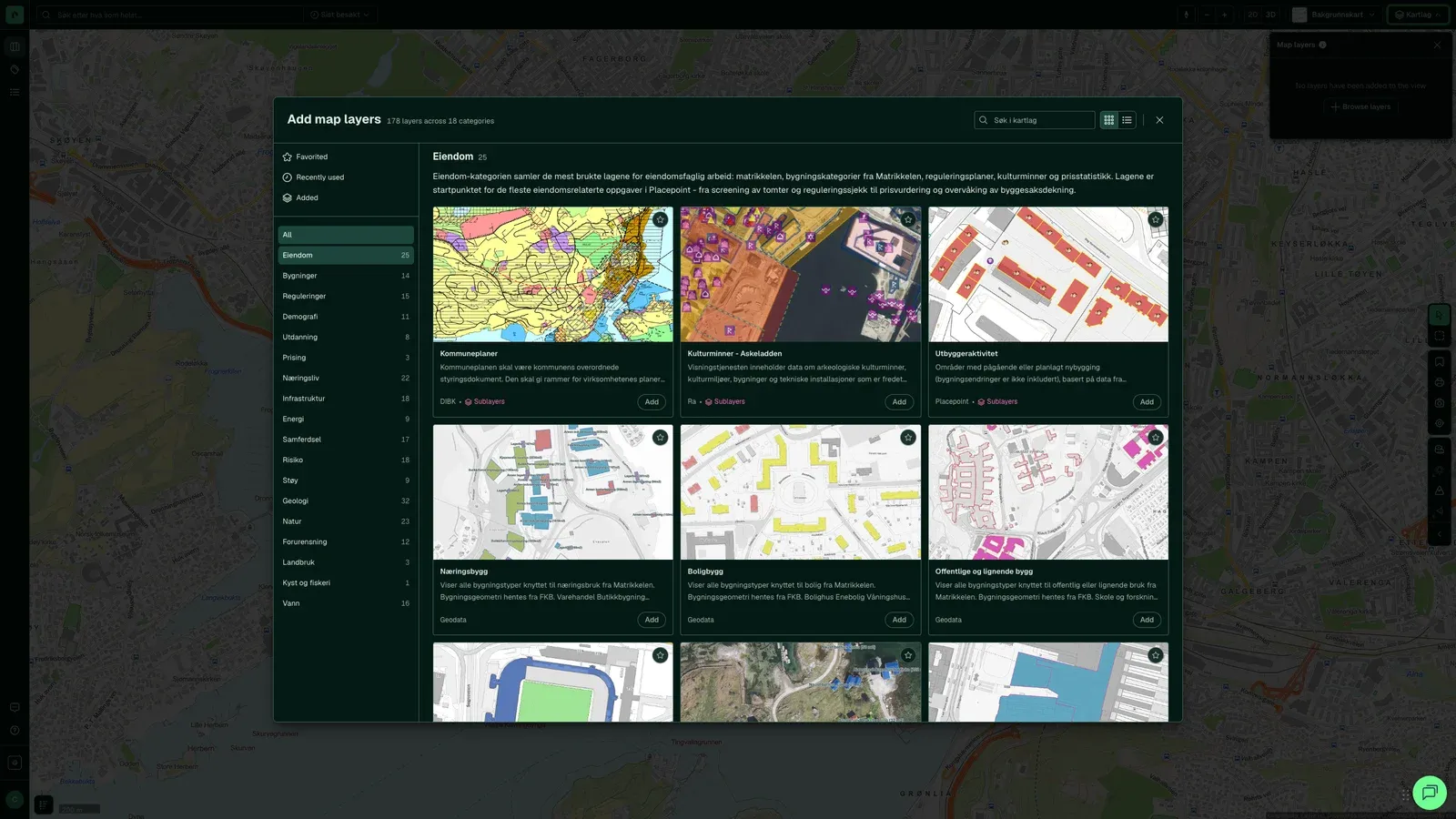
Around 280 main map layers in 18 categories, from zoning and quick clay to demographics and noise, laid over the same property without switching tools.
“We make active use of Placepoint in our nature-risk mapping. The data is an important part of what we base our decisions on.”
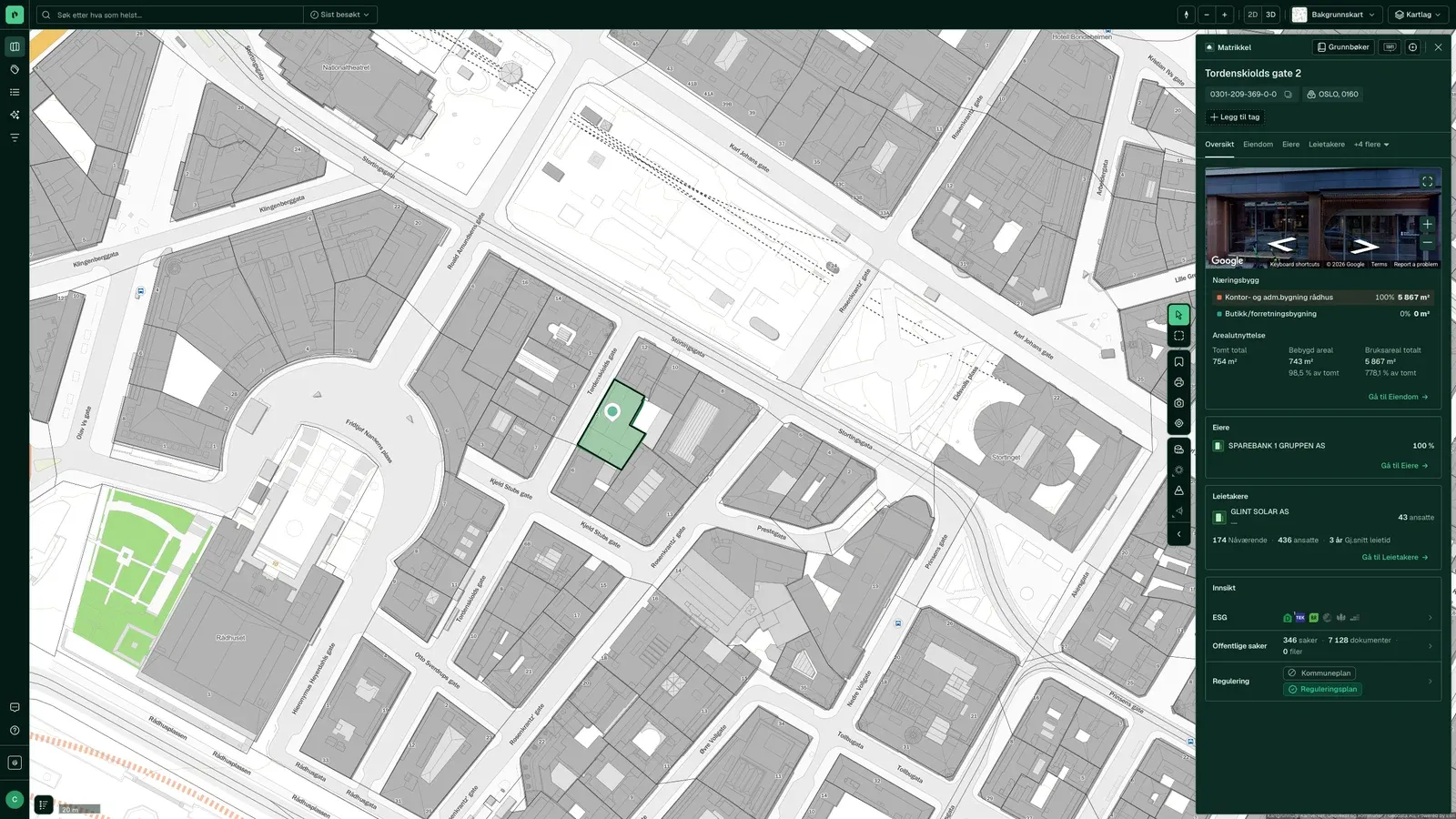
Owners, transactions, zoning, risk, tenants, public case records, ESG and valuation in 14 tabs. Every field shows where it comes from.
“… much of the information we need on ownership, ownership structures, zoning purposes and encumbrances is gathered in one place”
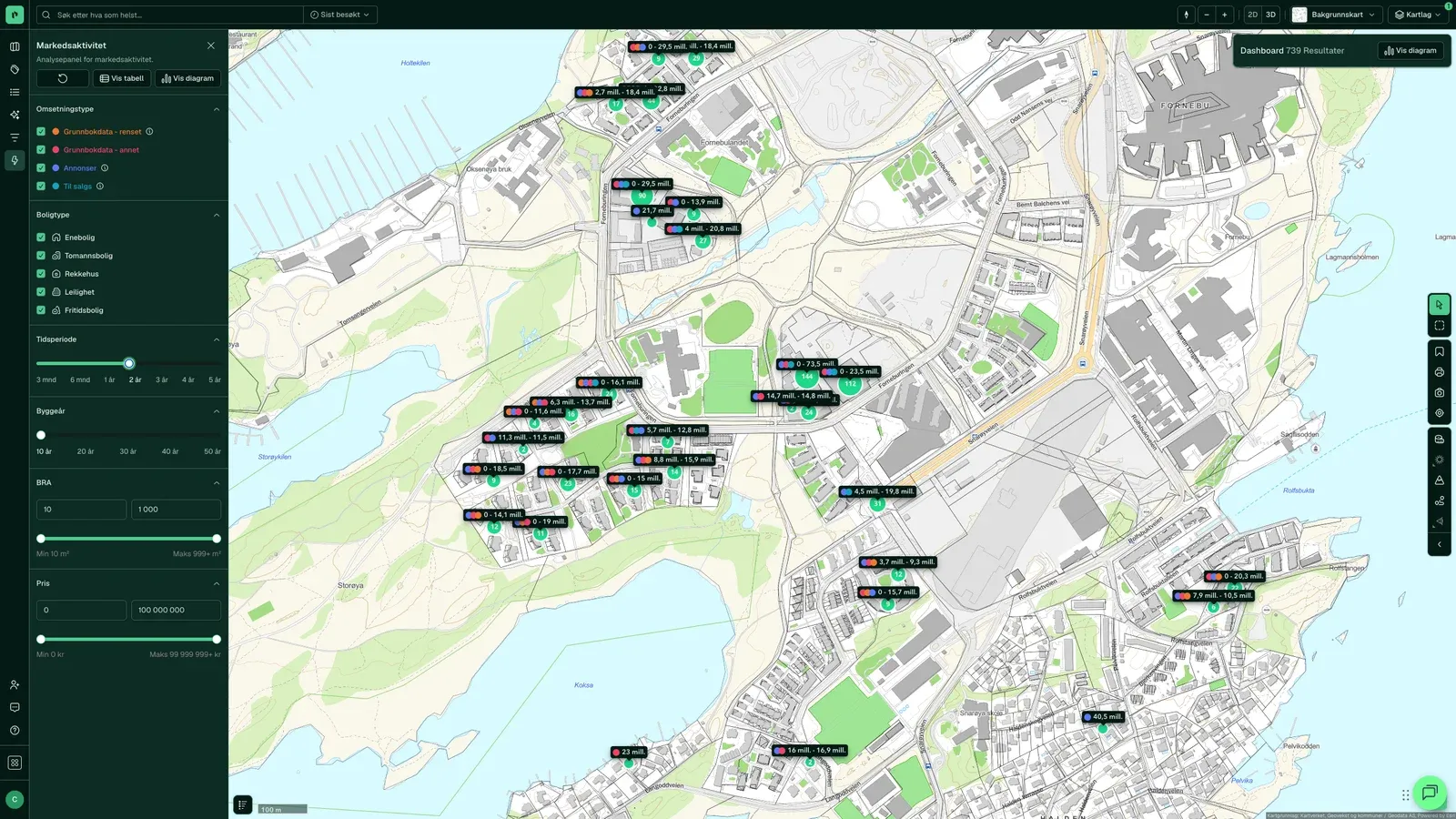
Ten analyses in the left menu: Market Activity, Commercial Transaction, Rental, Plot Transactions, Time on Market and Area Score, each with a map, a chart and an exportable table.
“It gives us instant access to site data, zoning and market insight that used to take days to dig out.”
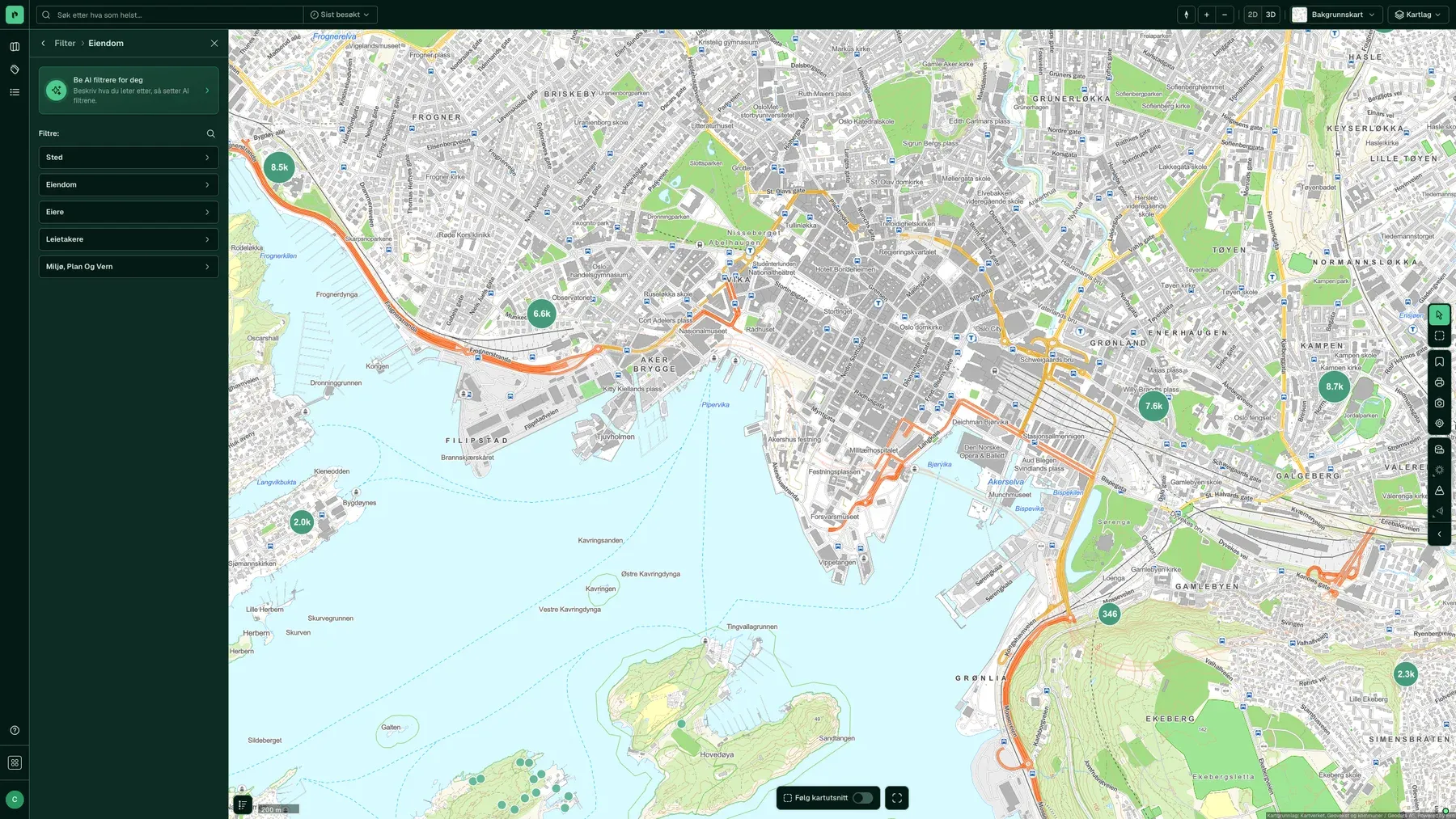
Find properties and companies that match your criteria: location, owners, tenants, built year, area purpose, accounts and conglomerate. You see the matches on the map and in the table, and you can download them as Excel.
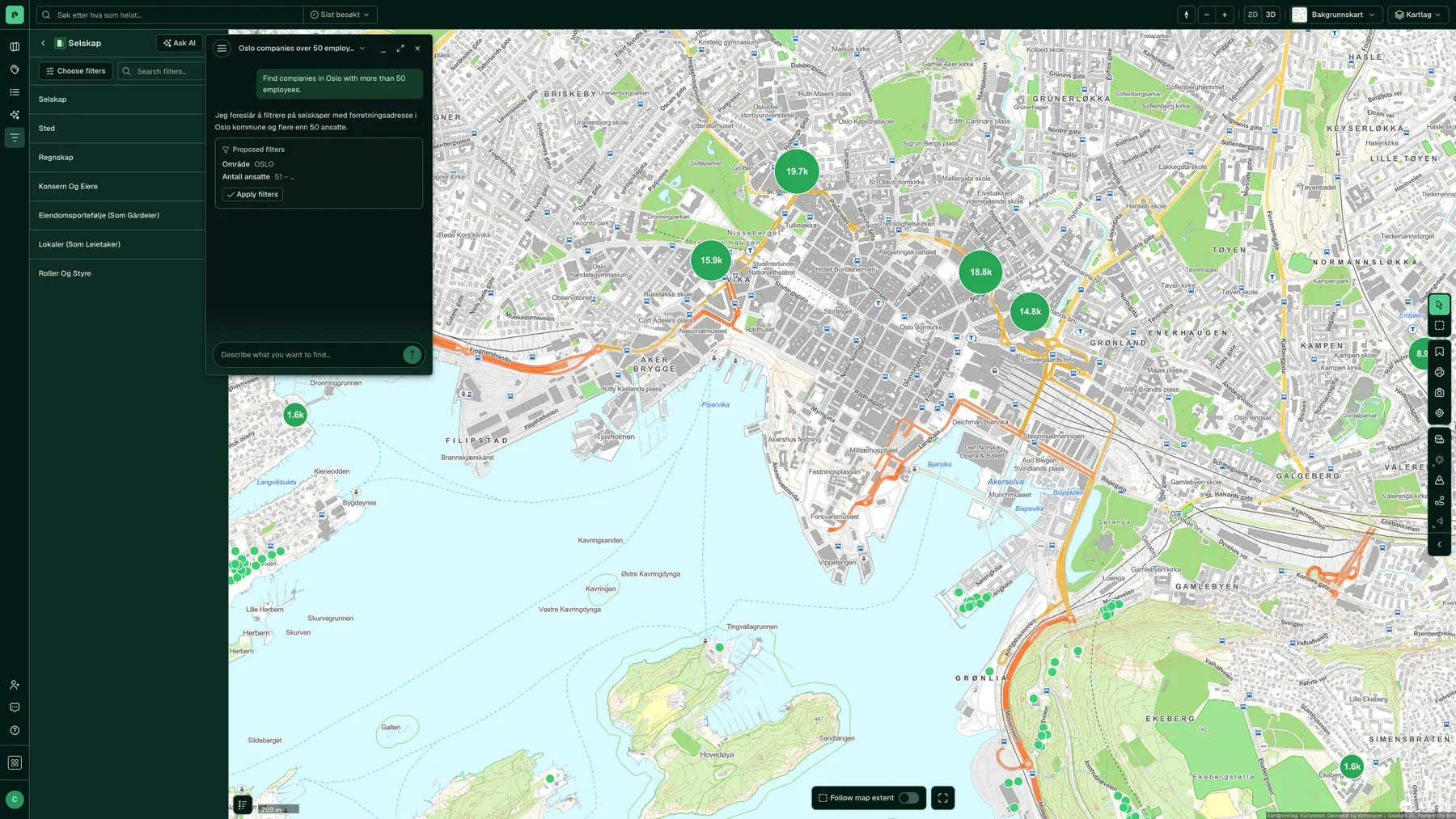
Describe what you are looking for, such as “development plots in Bærum zoned for housing, not built-up”. The assistant suggests the filters, you see how it read your request, and you click Apply.
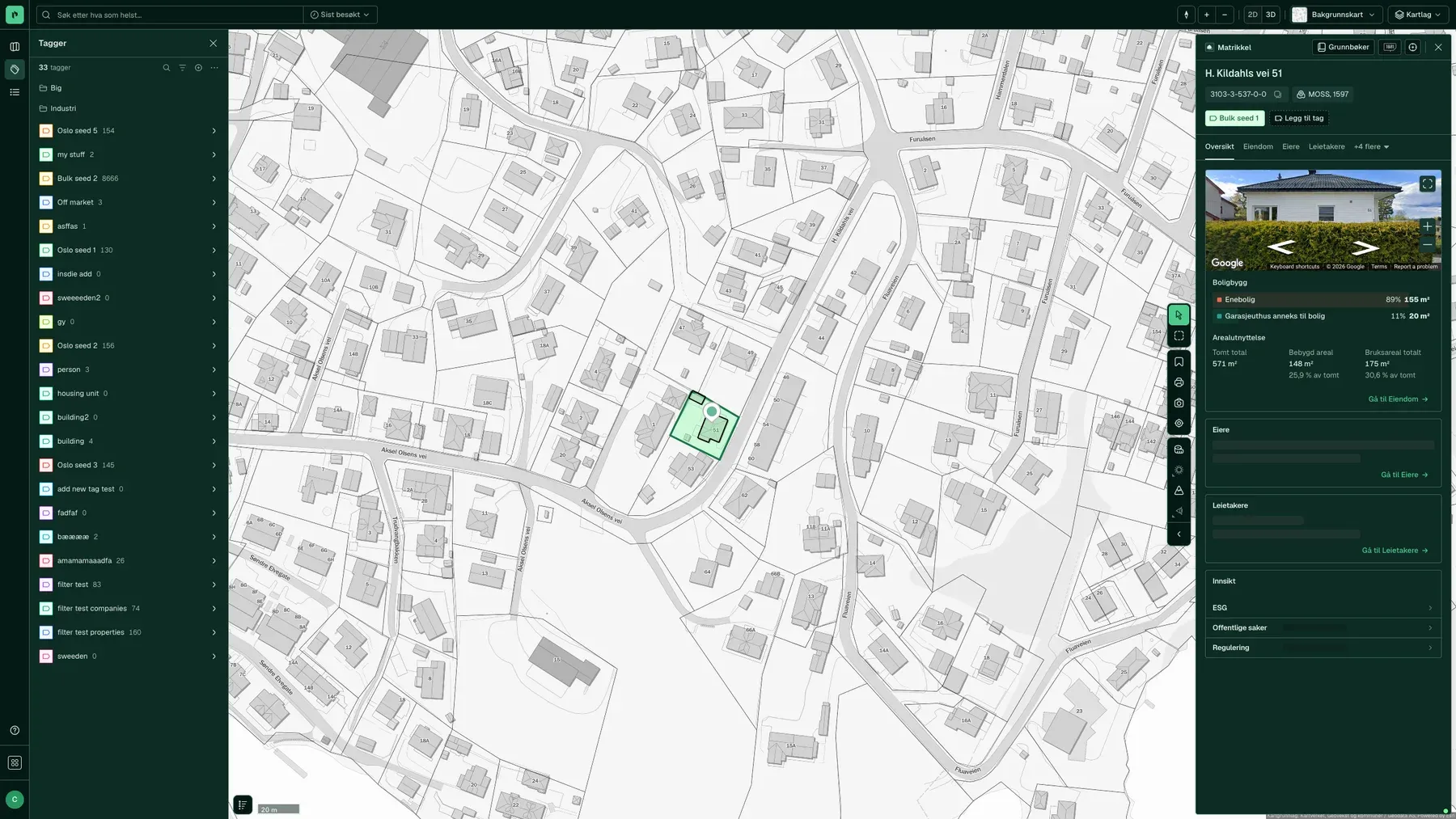
Coloured labels on properties, buildings and companies: “rated”, “owner contacted”, “candidate for purchase”. You share them with your team, they show on the map, and you can filter by them across projects.
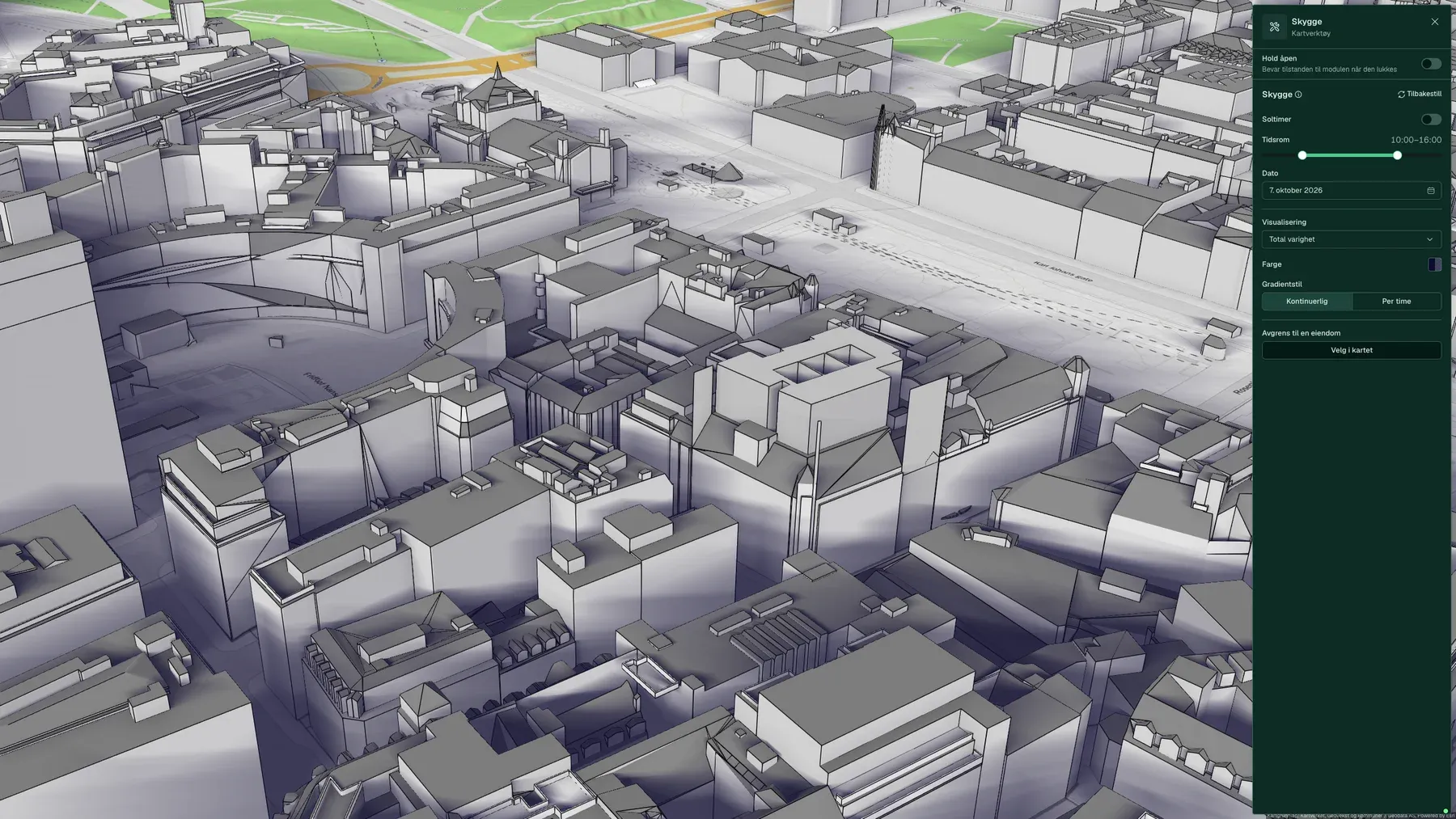
Daylight on façades at a chosen time, accumulated shadow between 10:00 and 16:00, line of sight, viewshed, elevation profile and measurements in 2D and 3D.
“The best thing is the amount of information in one place, and the 3D view of the site with its surroundings and outlook.”
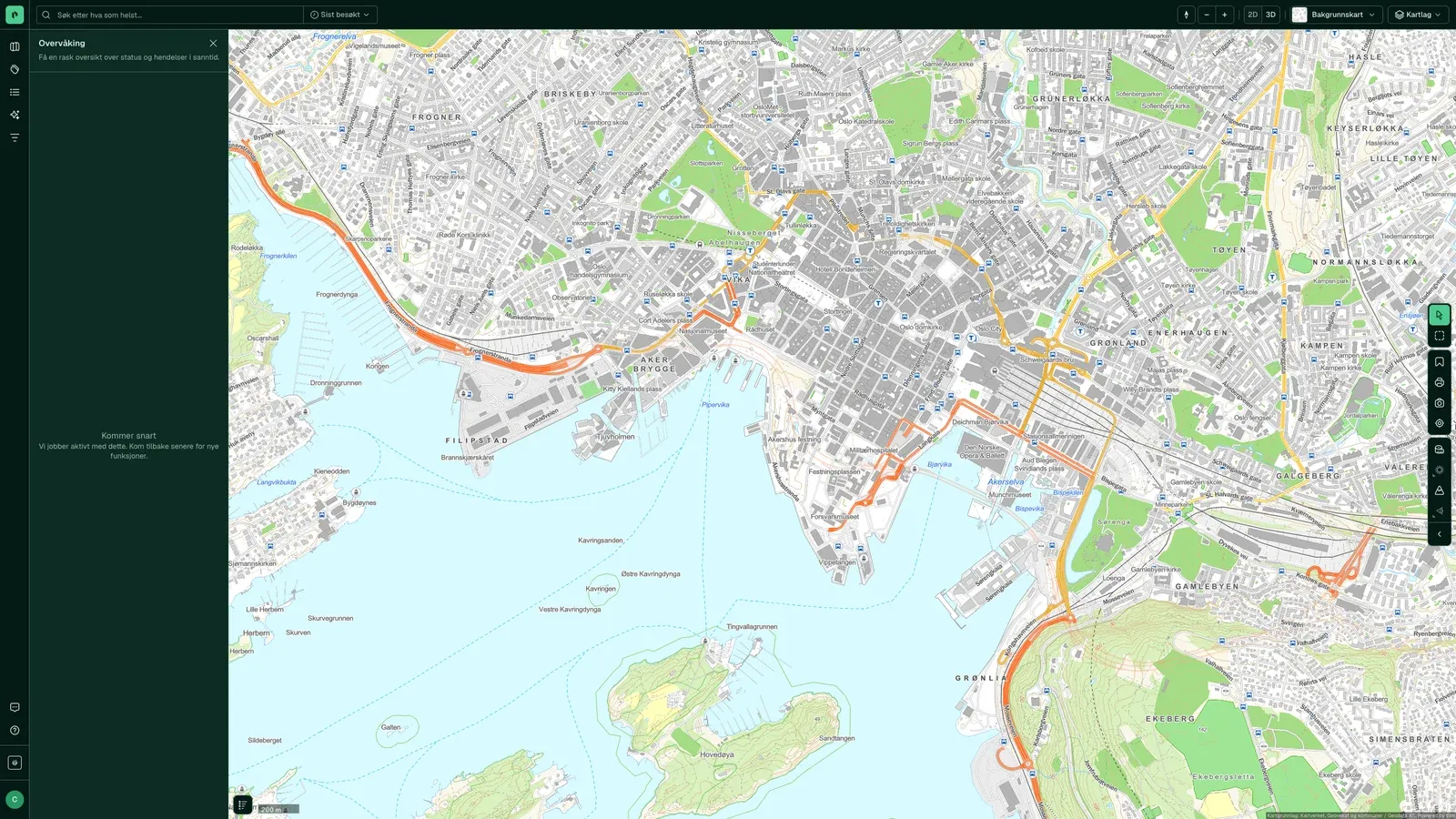
Every day, we check the municipalities' public post journals against the properties and areas in your project. You get an alert the next morning about new building applications, zoning changes, registered changes of ownership and listings.
“Placepoint gives us a better basis for decisions early in the process, and makes it easier to identify opportunities and make the right choices.”
The Agent is an assistant inside Fusion. You write in everyday words, and it builds the filters, looks things up in the registers, moves the map and turns on the map layers you need. You see how it has read your request, and nothing changes until you click.
“Find all properties in Hordaland and Rogaland over 2,000 m², with more than five tenants and a Commissioning Permit in the last twelve months.”
The Agent sets up the filters for you, so you do not have to search for them. You see how it read your request and press Apply.
“Who owns Tordenskiolds gate 2, and who rents there?”
Owner, title holder and the largest tenants, with links straight to the property panel and the companies.
“Show the flood zones around this plot.”
The map moves, the right map layer turns on, and the property panel opens on the match.
“Check all of John Colletts allé. Where can new buildings go up?”
A review of the zoning plan, part by part, with provisions and temporary bans.
Click Agent in the left-hand menu in Fusion.
An address is enough. The Agent finds the cadastral number itself.
The answer appears in the panel and in the map. Click Show to highlight the properties, or Create dataset to save them in the project.
“Map housing projects under construction or approved at Fornebu.”
After 11 minutes and 52 steps: a table of eight properties with housing units, status and owner, ready to save as a dataset.
The Agent is in pilot with selected users. Answers and features change as we go.
Who it is for
Developers make their living by seeing potential before others do. That means seeing zoning, ground conditions, ownership and neighbours for the same property, early enough to shape the decision to go ahead.
When you own property over time, the job is to know what you have, what is changing and where there is spare capacity. Placepoint keeps your portfolio up to date and finds the tenants who can fill it.
Matrikkel, land register, building data, historical listings and risk map layers are linked to the same property, so your inspection and report are based on information you can document.
All three need data on who owns what, what has changed hands and who occupies the buildings around them. It is all in one search.
If you have to piece the data together by hand, you make investment decisions on incomplete information. Placepoint gives you ownership structure, transaction history, tenants and risk for the same property, in time to shape your bid.
Fits the workflow you already have
Manual address lists, Proff and LinkedIn. The salespeople spent the morning working out who was based where.
The tenant list in Placepoint shows who occupies each building. The salespeople start the day with a list, not a search.
“We have 25 salespeople using Placepoint every day to generate leads and find tenants.”
Henning Bjørnsgård, Head of Sales and Development, EIR
Fusion brings them together in one product from 1 October 2026. Everything you had in the three is in Fusion, with the same login.
Yes, on tablets, and on phones as far as the screen size allows (version 3.0.22, September 2026).
All users can invite colleagues to the team from the user menu. Team administrators manage members (version 3.0.16).
You pay for Fusion per user per month, with no minimum term. See the pricing page for prices and what is included.
The matrikkel (cadastre), Grunnboken (the Land Registry), municipal planning portals and public records of correspondence, Enhetsregisteret, NVE, NGU, SSB and more. Every field shows its source and date.