








Datasets · Risk
Industrial emissions, linked to every property and ready to use.
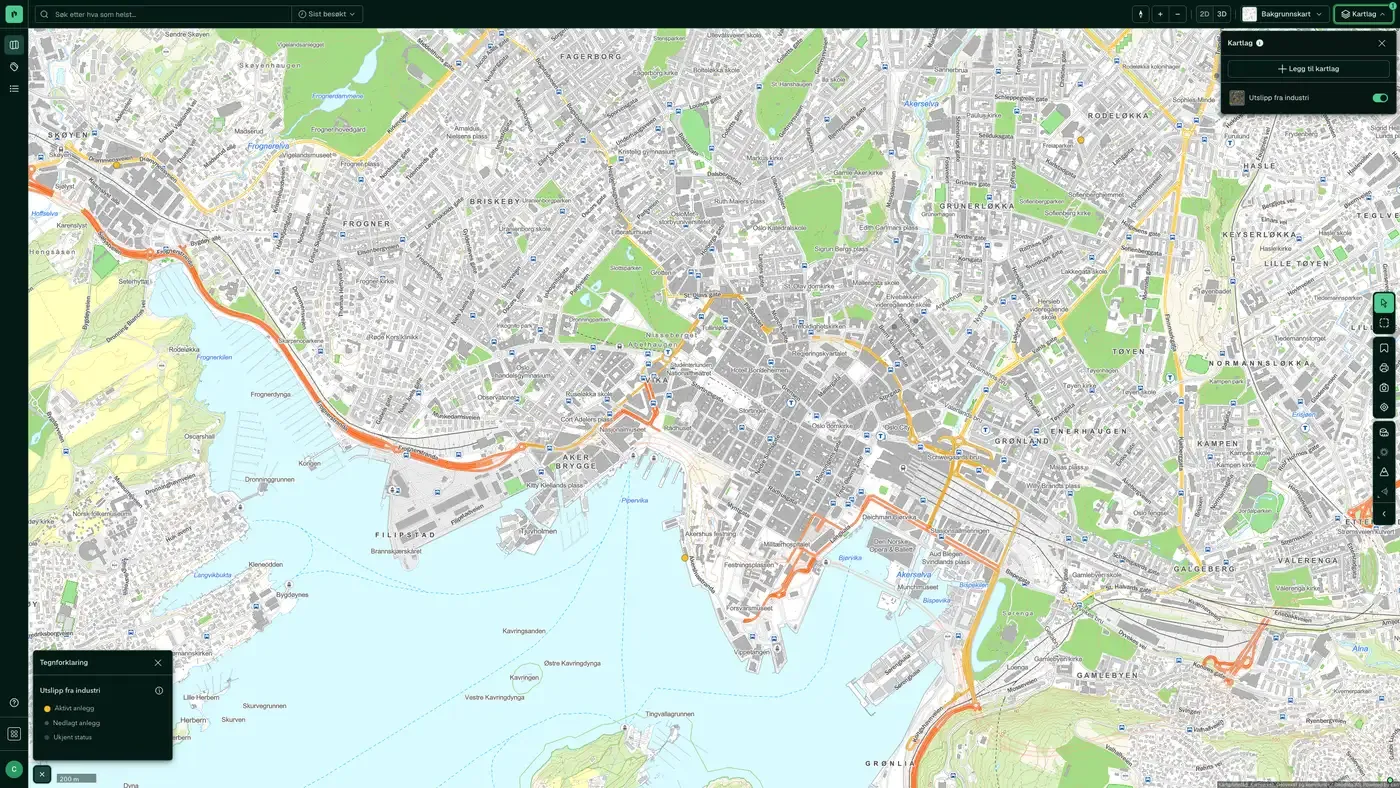
Land-based industrial plants with an emission permit, with industry, operating status and whether the plant emits to air or water. Active plants are shown in yellow, closed plants in grey.
What the dataset contains
Industrial emissions in Placepoint
Land-based industrial plants with an emission permit, with industry, operating status and whether the plant emits to air or water. Active plants are shown in yellow, closed plants in grey. Source: Miljødirektoratet (Norske utslipp). Update frequency: continuous. Part of Placepoint's Risk map layer.
This text is based on the dataset documentation, synced 16 October 2026.
What it looks like
Industrial emissions on the map
The dataset is part of the Risk map layer. For a screenshot, the sublayers and what a click on the map shows, see Industrial emissions.
Update frequency: Real time. Last updated 9 September 2026
More in the Risk map layer
Datasets often read together
Caution surfaces, (regulated) water, dams
NVE's flood awareness map: a coarser first assessment of where flood hazard should be investigated further.
About the datasetFire Stations Response Time
Placepoint's derived analysis of all fire stations in Norway with their driving response time zones: 5, 10 and 20 minutes, calculated from each station.
About the datasetFlood hazard map
The Flood hazard map shows areas that flood at different flood sizes (return periods).
About the datasetHigh tide / storm surge
Modelled storm surge and sea level rise zones for Norway's coast, supplied to Placepoint by Geodata AS.
About the datasetQuick clay
Quick clay is a particular type of marine clay that loses all its bearing capacity when disturbed or loaded. It is the single factor in Norwegian geotechnics that most often stops development projects or makes them more expensive.
About the datasetQuick Clay – Caution
Shows areas that may be exposed to quick clay landslides, based on marine clay deposits and terrain criteria (slope and height difference).
About the datasetHow often is Industrial emissions updated?
continuous. The frequency follows the source and is shown on the dataset in Placepoint.
Where does the data come from?
From Miljødirektoratet. We collect the data, check its quality and link it to the correct property, with the source and date on every field.
How do I see Industrial emissions for a property?
Look up the address in Fusion and turn on the Risk map layer. The dataset is there as its own layer, and the details appear in the property panel when you click on the map.
Can I get the dataset programmatically?
Yes. The same data is available in Placepoint API and in Placepoint AI through MCP, so you can bring it into your own systems and agents.
Used where decisions really matter