








Map layers · 3 layers
Pricing Info, layer by layer over the property.
Map layers related to pricing, transactions and property valuations. The category contains 3 layers, all taken from registered property transactions via Kartverket and Brønnøysundregistrene (BRREG).
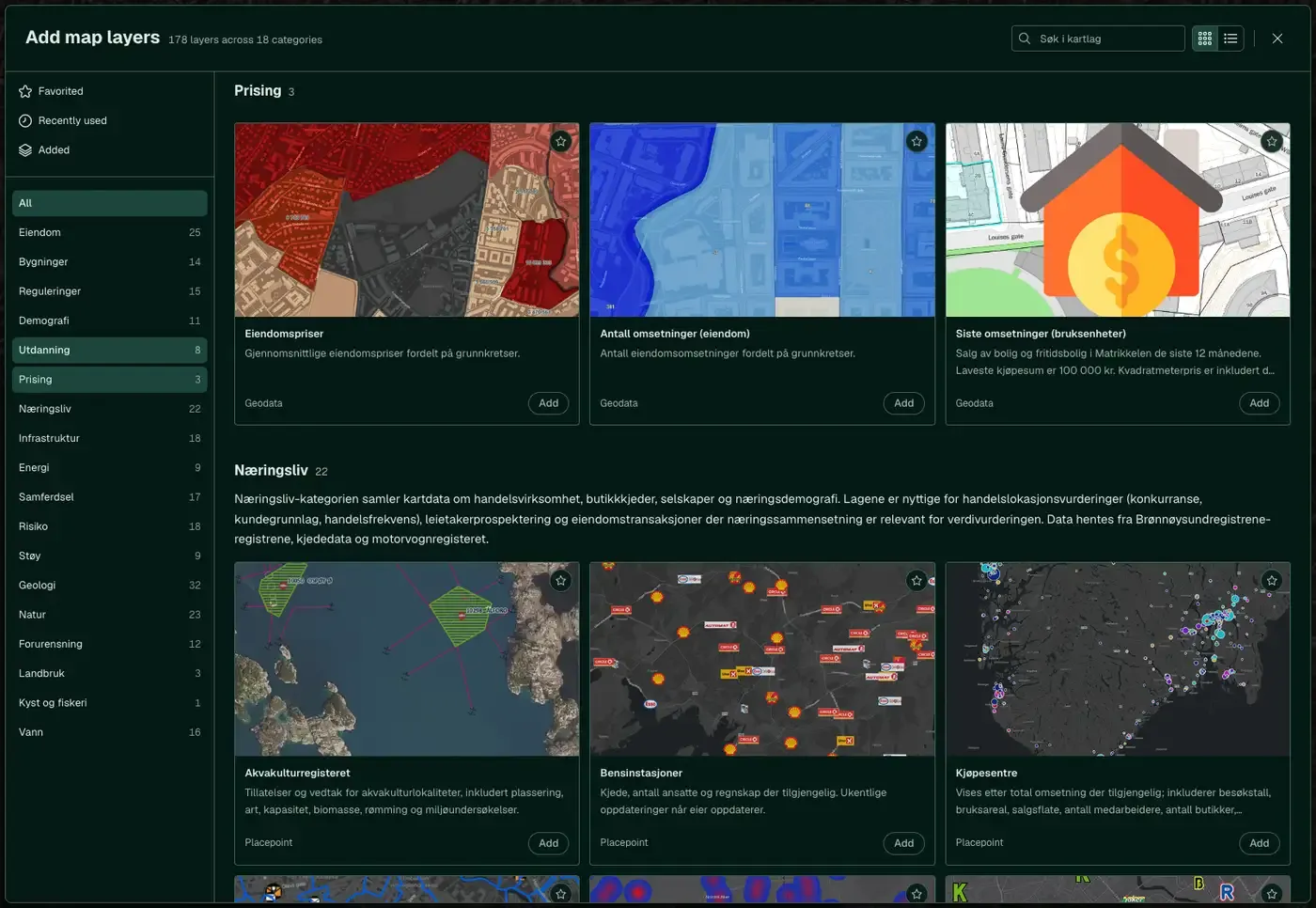
The layers
3 layers in Pricing Info
Open the category with the Map Layers button at the top right of the map, or via Map layers in the left menu, and select Browse layers. Click the Pricing tile to open the sub-list.
| Layer | Description | Source |
|---|---|---|
| Number of transactions (property) | The map shows how the number of property transactions is distributed across the grunnkretser. | Geodata AS |
| Property prices | The map shows how average property prices are distributed across the grunnkretser. | Geodata AS |
| Latest sales (units of use) | Sales of housing and holiday homes in the matrikkel over the last 12 months. The lowest purchase price is NOK 100,000. Price per m² is included where it can be calculated. Housing coops are not included. | Kartverket |
Layer by layer
What each layer shows
Number of transactions (property)
The number of property transactions per grunnkrets. It gives a picture of market activity in an area. See the full description under Property. Filtering
Property prices
Average property prices spread across the grunnkretser. See the full description under Property. Filtering
Latest sales (units of use)
Sales of housing and holiday homes in the last 12 months, with a minimum purchase price of NOK 100,000. Shows market activity in the neighbourhood at a glance. Housing coops are not included. See the full description under Property. Filtering
How do I turn on the Pricing Info layers in Fusion?
Click Map layers at the top right of the map, select the category in the list on the left and turn on the layer. You can have several layers on at once, over the same property.
Where do the layers come from?
The sources are listed in the table above, including Geodata AS and Kartverket. Each layer shows its source and date.
Can I get the same data programmatically?
Yes. The datasets behind the layers are available in the Placepoint API and in Placepoint AI through MCP.
Other categories
The layers and descriptions come from the documentation, synced 16 October 2026.
Used where decisions really matter