








Datasets · Water
River network, linked to every property.
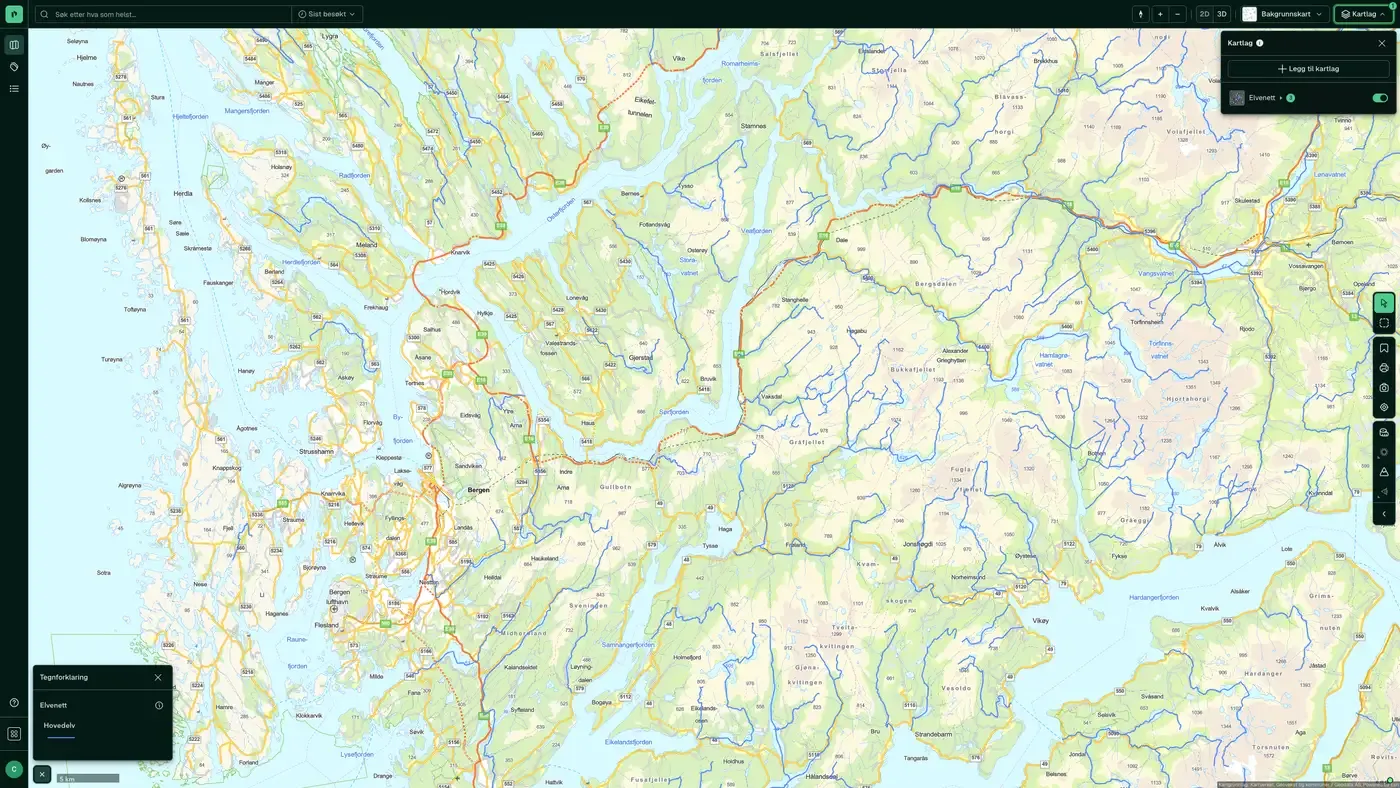
ELVIS, the national river network, from main rivers at overview level to the full network when you zoom in. Use it to see where water flows in relation to a property.
What the dataset contains
River network in Placepoint
ELVIS, the national river network, from main rivers at overview level to the full network when you zoom in. Use it to see where water flows in relation to a property. Source: Norges vassdrags- og energidirektorat (NVE). Part of our map layers for Water.
This text is based on the dataset documentation, synced 16 October 2026.
What it looks like
River network on the map
The dataset is part of the Water map layer. You will find the screenshot, sublayers and what a click on the map shows under River network.
Update frequency: When the source changes. Last updated 9 September 2026
More in the Water map layer
Datasets often read together
Wastewater facilities
An overview of municipal wastewater facilities and discharge points, based on the Norwegian Environment Agency's specialist system Forurensning (Pollution) and collected through the municipalities' annual KOSTRA reporting.
About the datasetDrainage lines
Modelled water flow lines in the terrain. The lines show where water will collect on an area larger than one decare (1,000 m²). They are based on an analysis of the national terrain model at 50 cm resolution from hoydedata.no.
About the datasetSoil moisture
Modelled soil moisture map. It shows the vertical height difference in centimetres (registered as metres in the layer name) between each terrain point and the nearest point calculated to be water-saturated.
About the datasetWater bodies
Water bodies for both surface water and groundwater.
About the datasetWatercourses and catchments
A watercourse is a connected system of rivers, streams, lakes and glaciers within a catchment area. It runs from its sources in forest and mountains down to a shared outlet in the sea, a lake or a larger river.
About the datasetProtected watercourses
Watercourses protected from hydropower development through Verneplan for vassdrag (the protection plan for watercourses), a legal designation adopted by the Storting over several decades.
About the datasetHow often is River network updated?
When the source changes. The frequency follows the source and is shown on the dataset in Placepoint.
Where does the data come from?
From Norges vassdrags- og energidirektorat. We collect and quality-check the data, then link it to the right property, with source and date on every field.
How do I see River network for a property?
Look up the address in Fusion and turn on the Water map layer. The dataset is a separate layer there, and you see the details in the property panel when you click on the map.
Can I get the dataset programmatically?
Yes. The same data is available in Placepoint API and in Placepoint AI through MCP, so you can bring it into your own systems and agents.
Used where decisions really matter