








Datasets · Geology
Drill cores, already linked to every property.
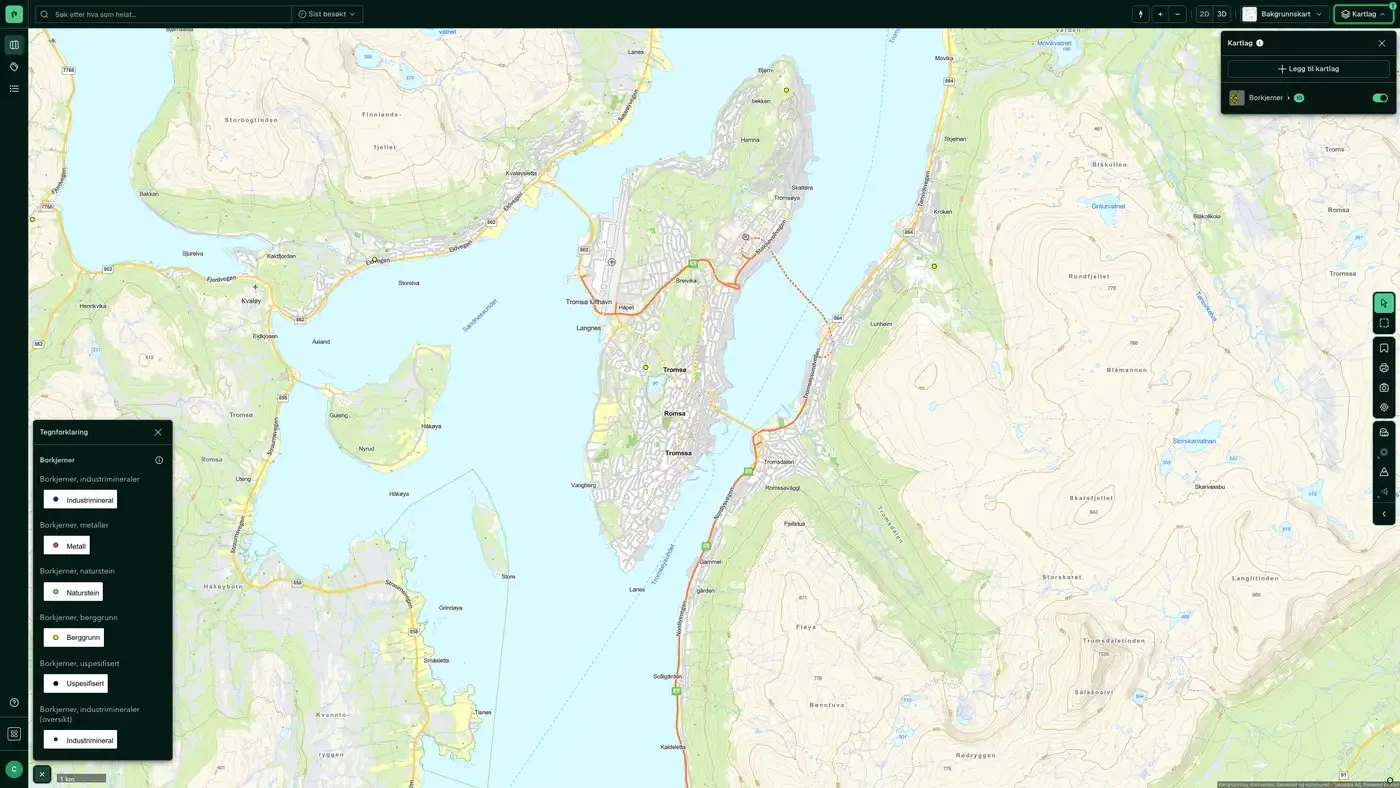
NGU's drill core archive: places where drill cores have been taken for bedrock, natural stone, metals and industrial minerals. An overview at a distance, individual cores when you zoom in.
What the dataset contains
Drill cores in Placepoint
NGU's drill core archive: places where drill cores have been taken for bedrock, natural stone, metals and industrial minerals. An overview at a distance, individual cores when you zoom in. Source: Norges geologiske undersøkelse (NGU). Part of Placepoint's Geology map layer.
This text is based on the dataset documentation, synced 16 October 2026.
What it looks like
Drill cores on the map
The dataset is part of the Geology map layer. You can find the screenshot, the sublayers and what a click on the map shows under Drill cores.
Update frequency: Real time. Last updated 9 September 2026
More in the Geology map layer
Datasets often read together
Bedrock, derived maps, NiN
Derived bedrock maps from NGU for Natur i Norge: forecast for lime content in the bedrock and the extent of ultramafic rocks.
About the datasetBedrock N250
The map data is mainly based on the national printed bedrock geology map series at a scale of 1:250,000, and has since been harmonised across map sheet boundaries and updated with newer map data.
About the datasetBedrock N50
The maps are built on a combined interpretation of field observations, geophysical data, digital elevation models and aerial photos, along with analyses of collected samples.
About the datasetMining rights
Areas covered by mining rights for state-owned minerals under the Minerals Act: exploration rights (UN) and extraction rights (UT).
About the datasetGeochemistry
NGU's national geochemical database: field samples of loose masses, stream sediments and water with analysed elements, and measurement points with geochemical measurements.
About the datasetGeology
About the datasetHow often are drill cores updated?
Real time. The update frequency follows the source and is shown on the dataset in Placepoint.
Where does the data come from?
From Norges geologiske undersøkelse. We collect and quality-check the data and place it on the correct property, with source and date on every field.
How do I see drill cores on a property?
Look up the address in Fusion and turn on the Geology map layer. The dataset is there as its own layer, and the details appear in the property panel when you click on the map.
Can I get the dataset programmatically?
Yes. The same data is available in Placepoint API and in Placepoint AI through MCP, so you can bring it into your own systems and agents.
Used where decisions really matter